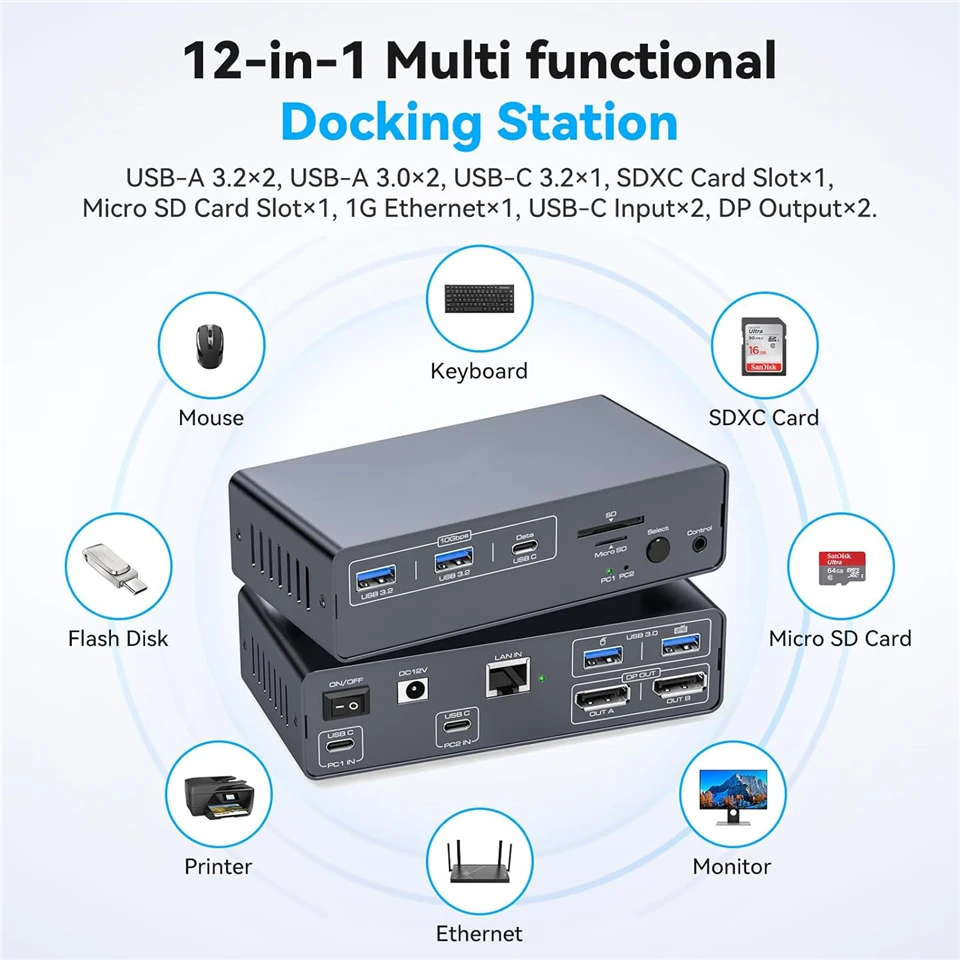
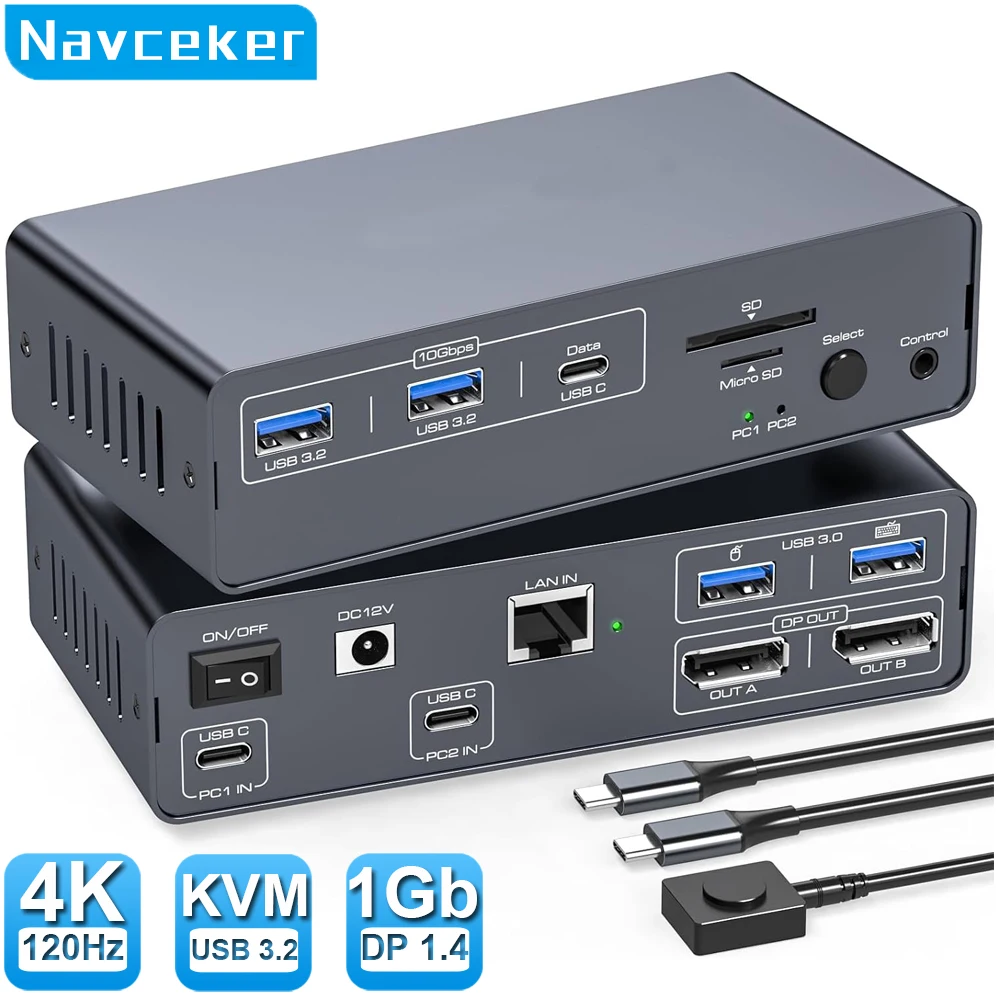
Navceker 8K@120Hz USB-C Docking Station Dual Monitor for 2 Laptops or Macbooks Switch(12-in-1) Type C KVM Switch Ethernet with 2 Displayport, 1G Ethernet, 10Gbps USBC + USBA 3.2, 5Gbps USB 3.0 Date and SD/microSD Card Slots
Description:
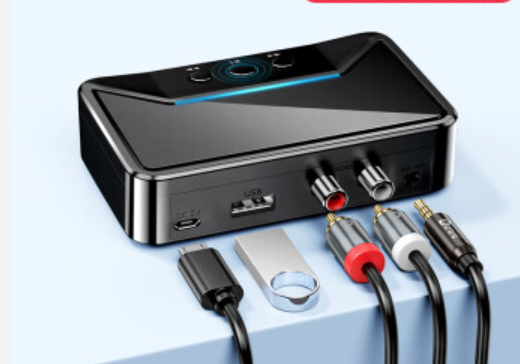
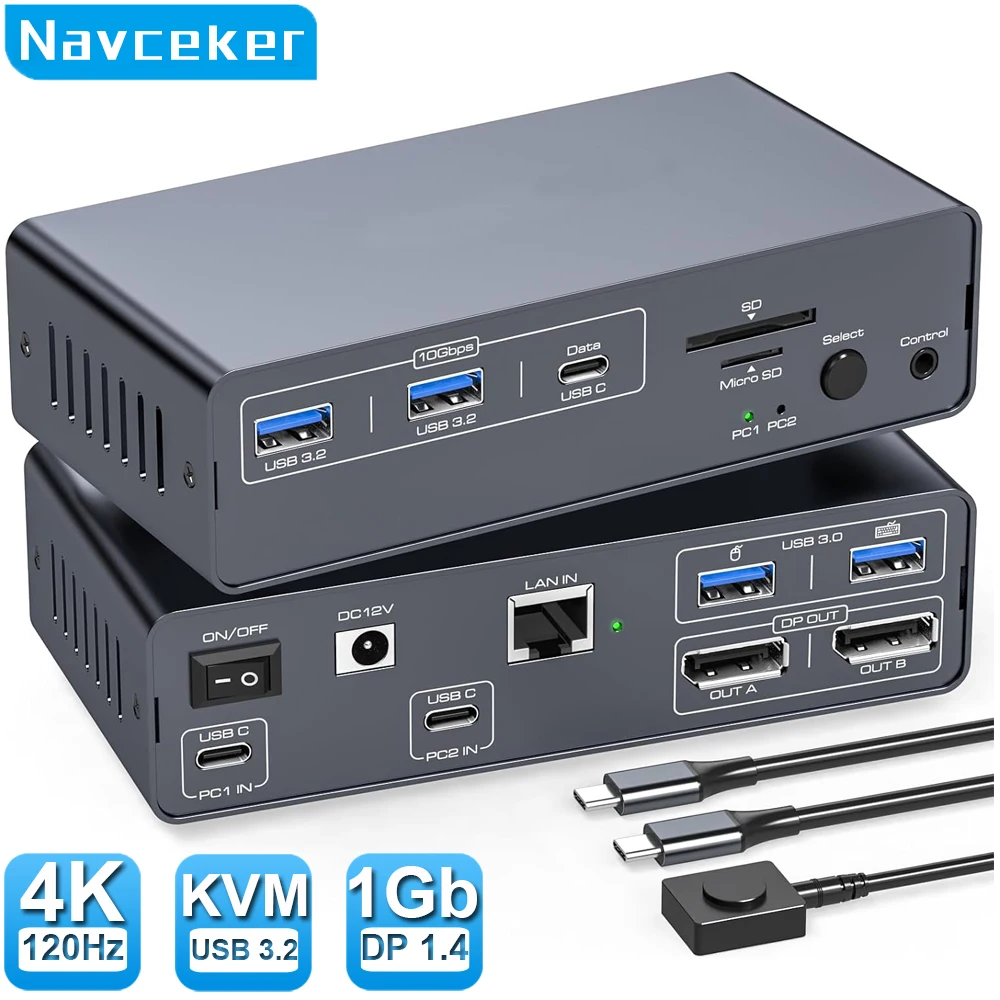
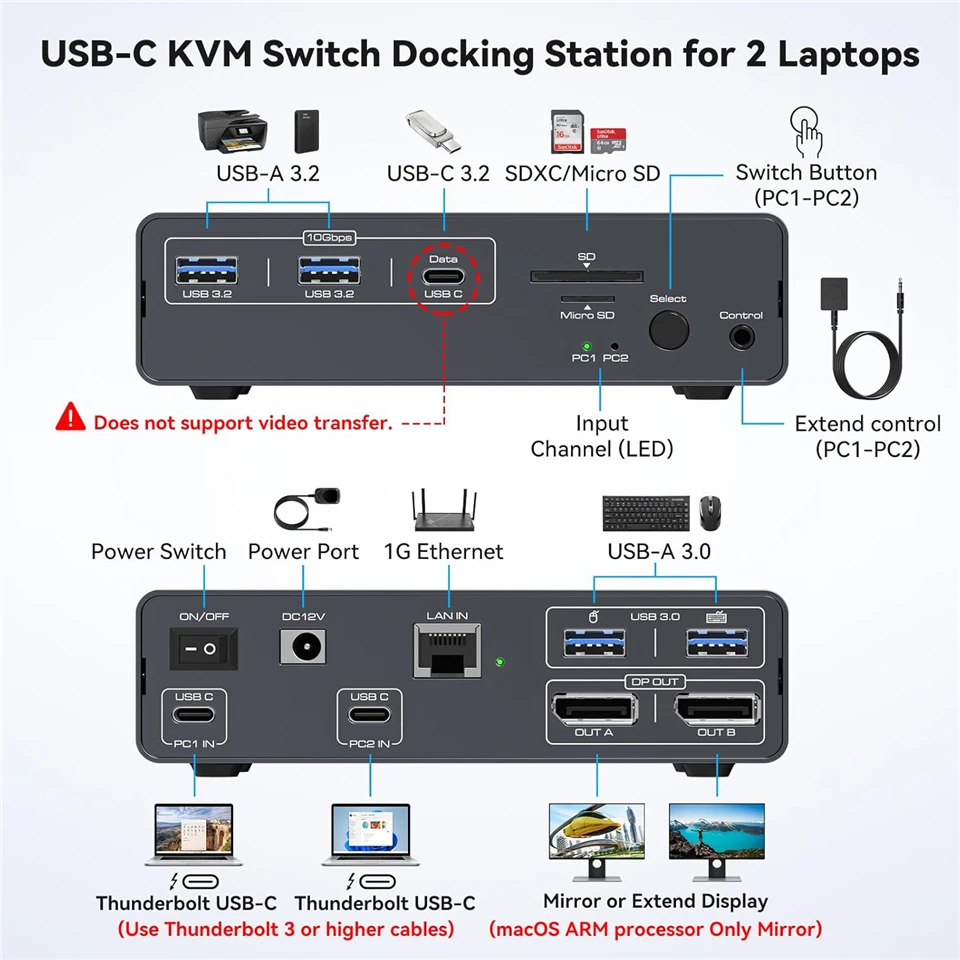
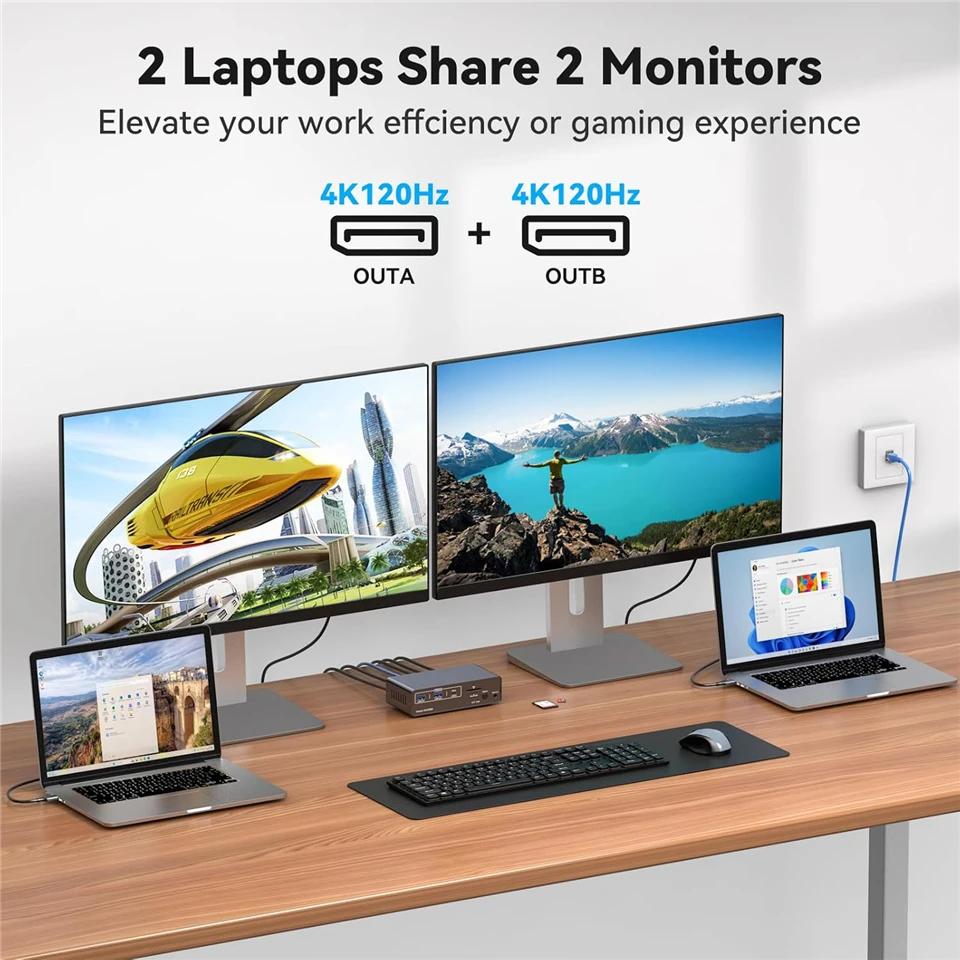
ZY-ASW525,Navceker 4K 120Hz USB C KVM Switch allows you to share one USB keyboard, USB mouse,3x USB 3.2 device,1 x 1Gbps Network R45,1 x SD Card,1 x micro SD card and two Displayport 1.4 monitor to control 2 Macbook,computers, laptops, game consoles.
It is designed for multitask with two computers at your necessary, increasing productivity in the office or at home ; You can switch between 2 computers using a manual switch located on the top of the KVM unit.
Features:
Navceker 2x2 4K 60Hz Thunderbolt 3 / 4 USB C KVM Switch Ethernet Dual Monitor with 1Gb Network RJ45, 3 x 10Gbps USB 3.2 and SD card Type C KVM Switcher Docking Station for 2 Laptops / MacBooks 2 Monitor
-
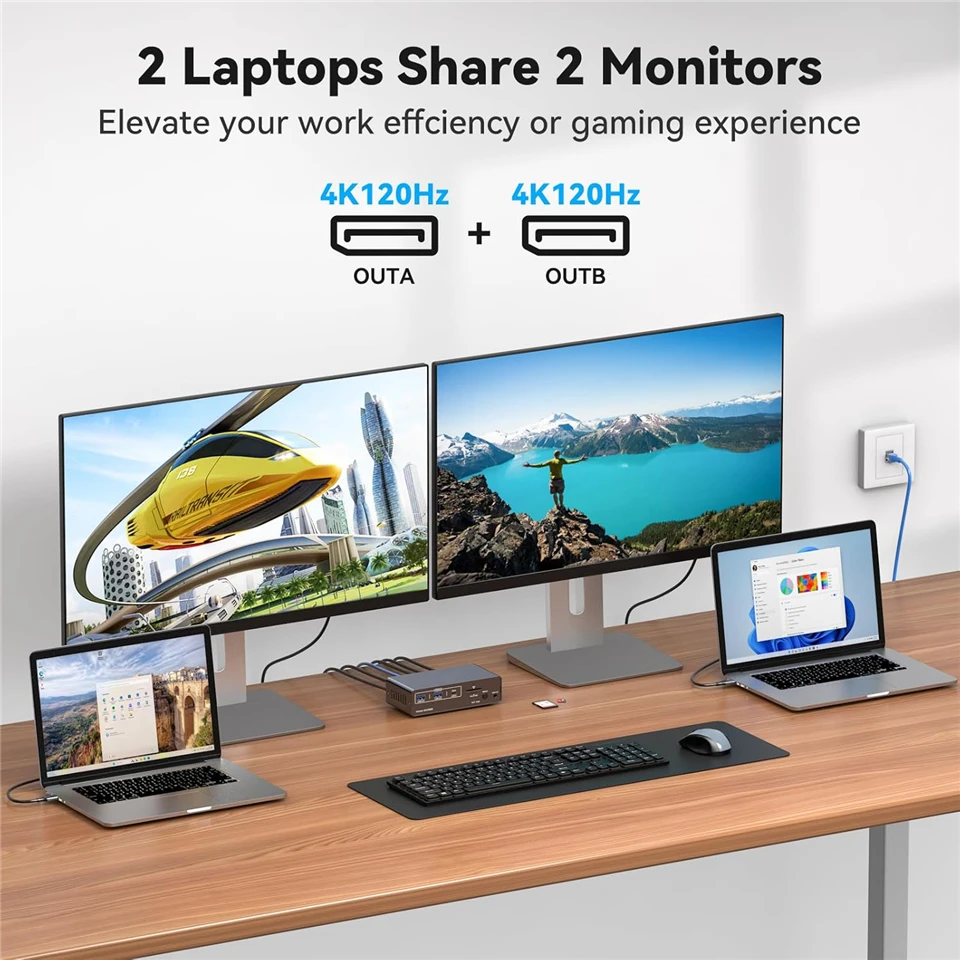
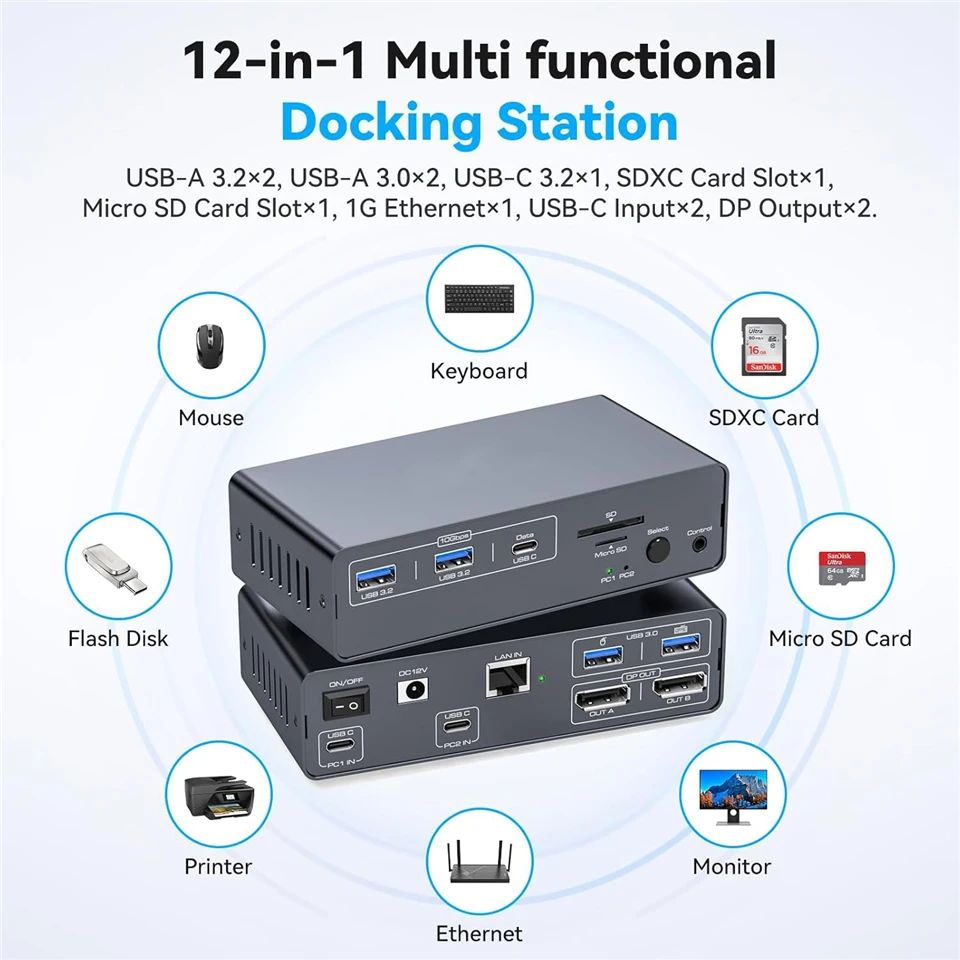
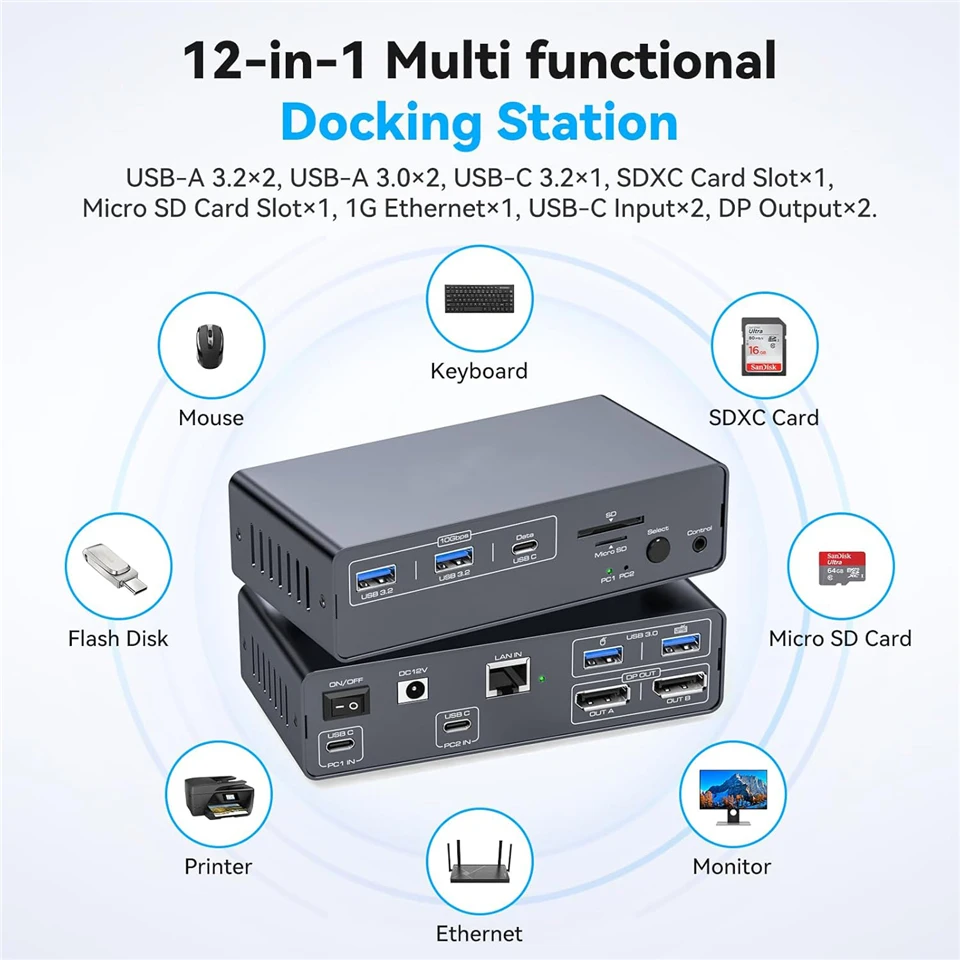
✅USB-C KVM Switch for 2 Laptops: Navceker docking station allows two laptops, Macbooks or other USB-C signal sources to share a 12-in-1 docking station with just one click. Allowing you to condense peripherals all down to one cable for each item, eliminating clutter and reducing the need for multiple ports. It easily accommodates your peripherals, like keyboard, mouse, printer SD cards and others. Simplifies desktop layout and creates a productive workspace
-
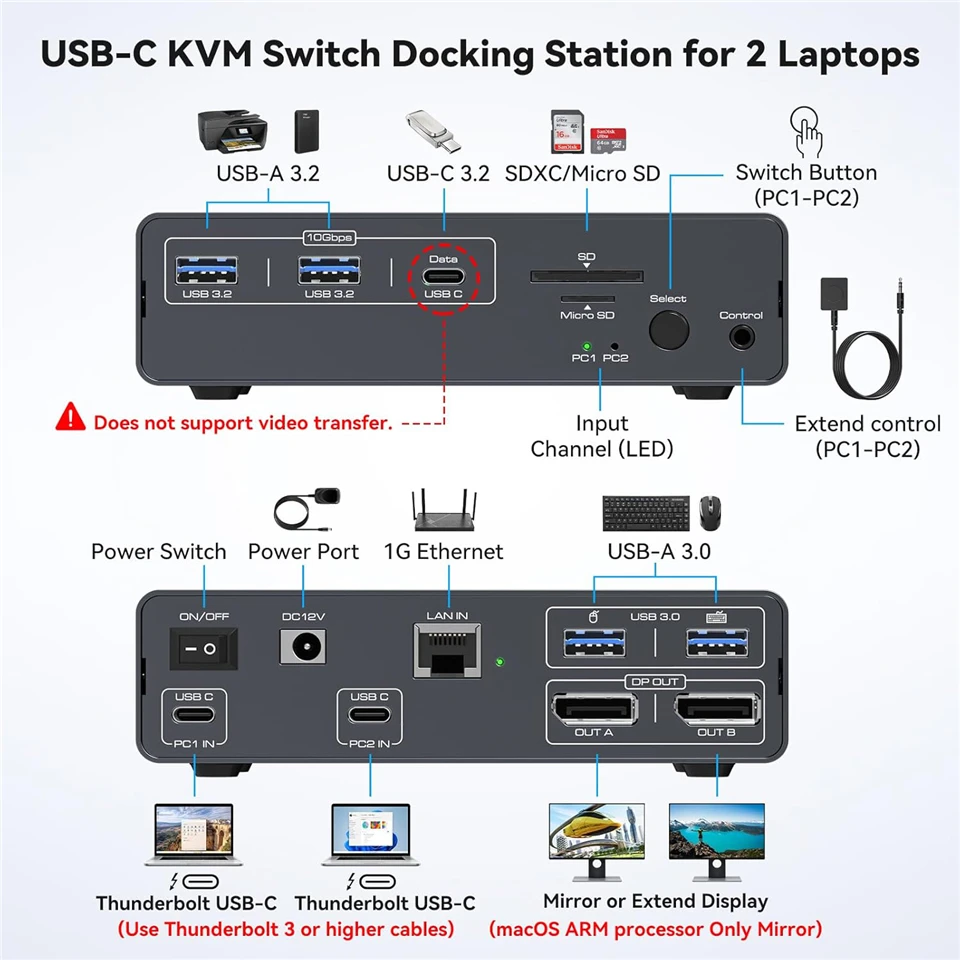
✅12-in-1 Laptop Docking Station: Thunderbolt dock provides multiple shared peripheral ports, including 2x USB 3.0 (for keyboard and mouse), 2x 10 Gbps USB 3.2 and 10Gbps USB-C Port, 1x 1G Ethernet, 1x SD/microSD and 2x 4K@120Hz DP 1.4 outputs. This type c docking station helps to keep your desk organized. Note: 10Gbps USB-C date port does not support video transfer; to better protect your laptop, the docking station does not require power from the laptop and cannot provide power to the laptop
-
✅4K@120Hz KVM Switch Dual Monitor : 2 displayport 1.4 ports can output up to two 4K@120Hz video images simultaneously, giving you a more realistic and smooth visual experience; backward compatible with 4K@60Hz and 1440P, 1080P, etc. USB3.0 is suitable for mouse and keyboard, 10Gbps USB 3.2/USB C ports and SD/microSD Card Slots allow two computers to connect more peripherals at the same time, bringing more convenience to your data transmission
-
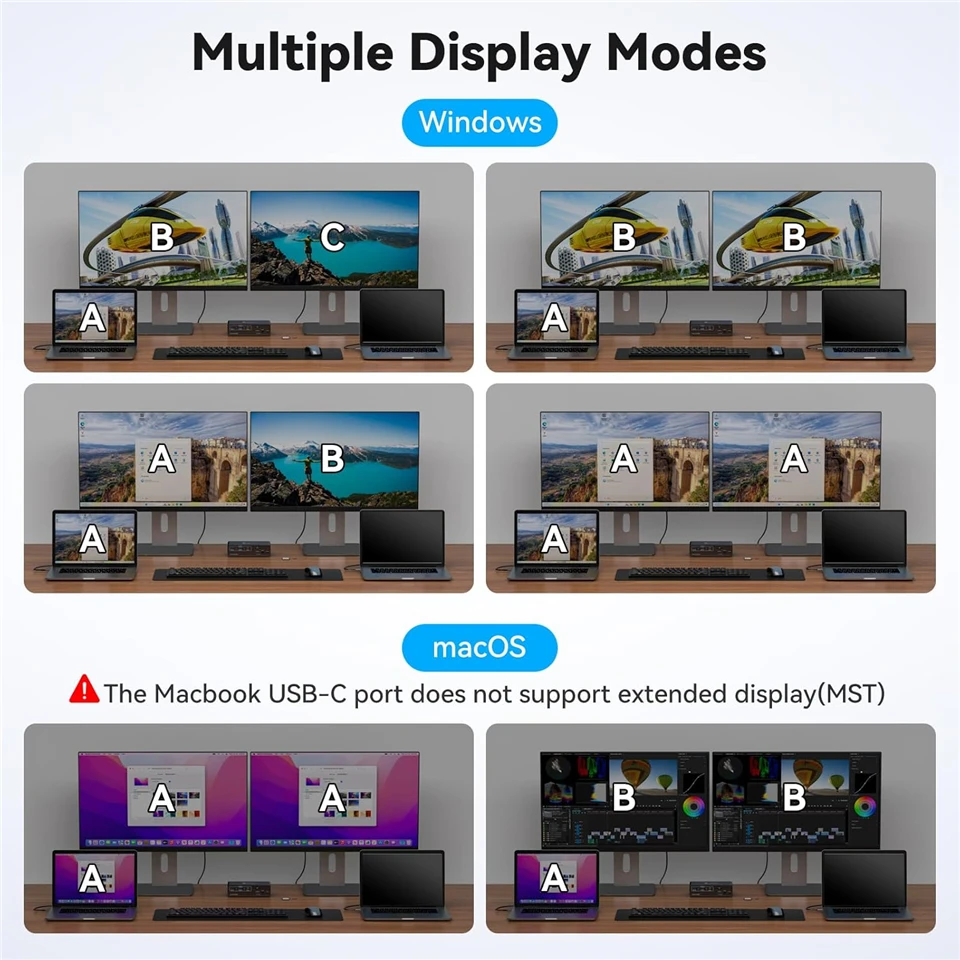
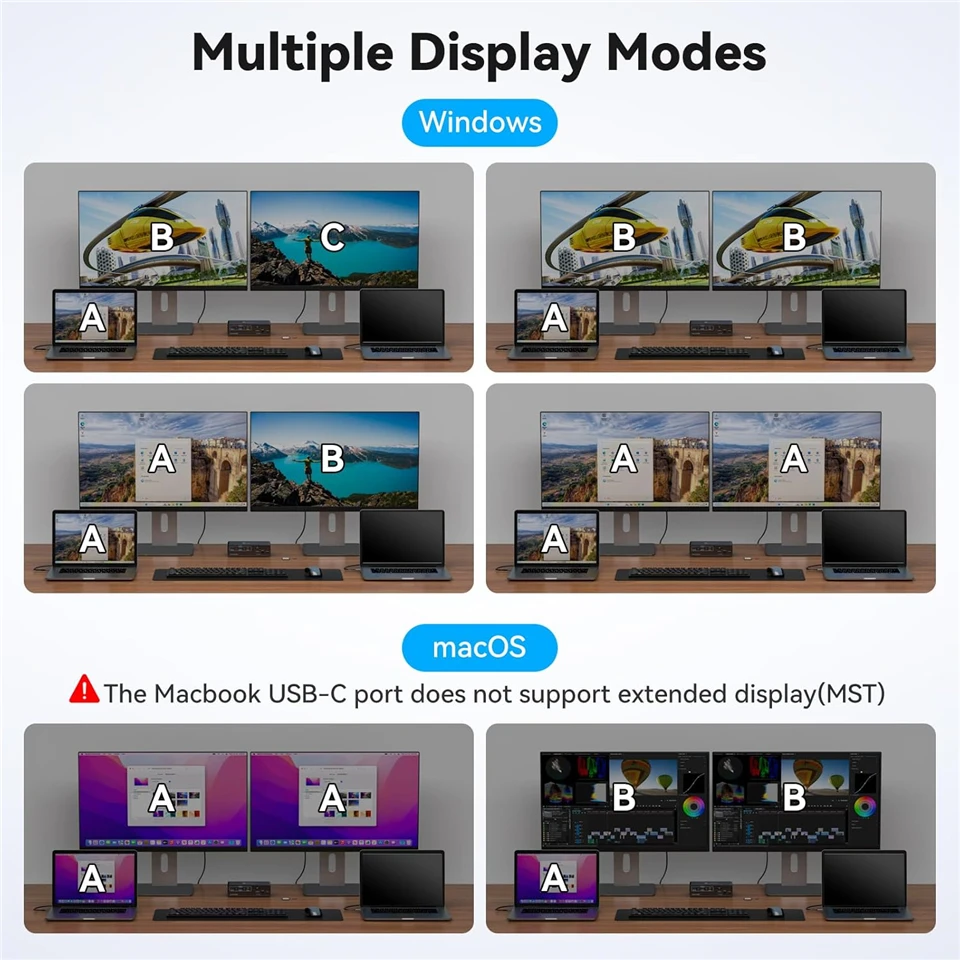
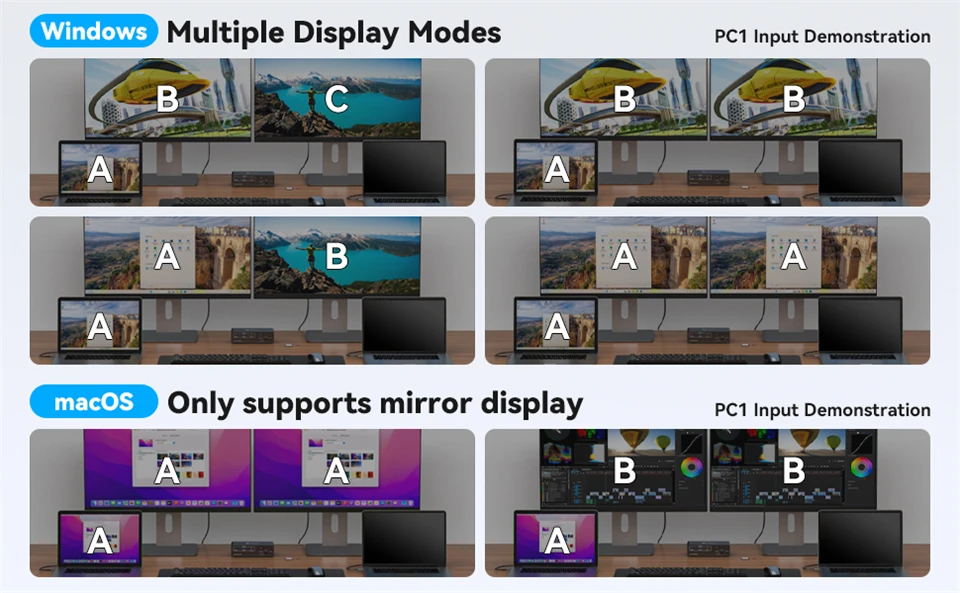
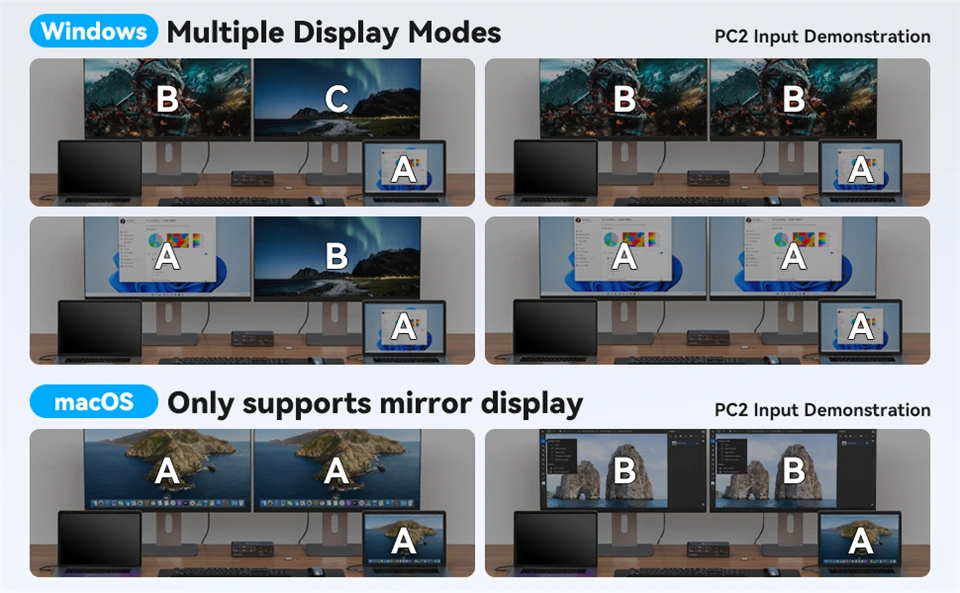
✅Extended Media Display: 2 Displayport monitors docking station support MST and SST Modes; If your signal source is Windows, the USB C docking station supports MST and SST modes, and the 2 DP ports can display two different images at the same time; if it is iOS, the 2 DP ports can only display two identical images. This is a limitation of the iOS system, not the docking station. Note: MST is not supported on Macs with Windows installed
-
✅Quickly Switching: Navceker Type C KVM Switch has two switching modes, 1. Use the desktop extension button to hide the extension under the desk or out of the workspace, saving space and keeping the desktop tidy. 2. Press the button on the device to switch; LED indicator lights will show the "activity" of the laptop, making it incredibly easy for work and home equipment. Note: The network follows the current channel switch and cannot be used by two computers at the same time
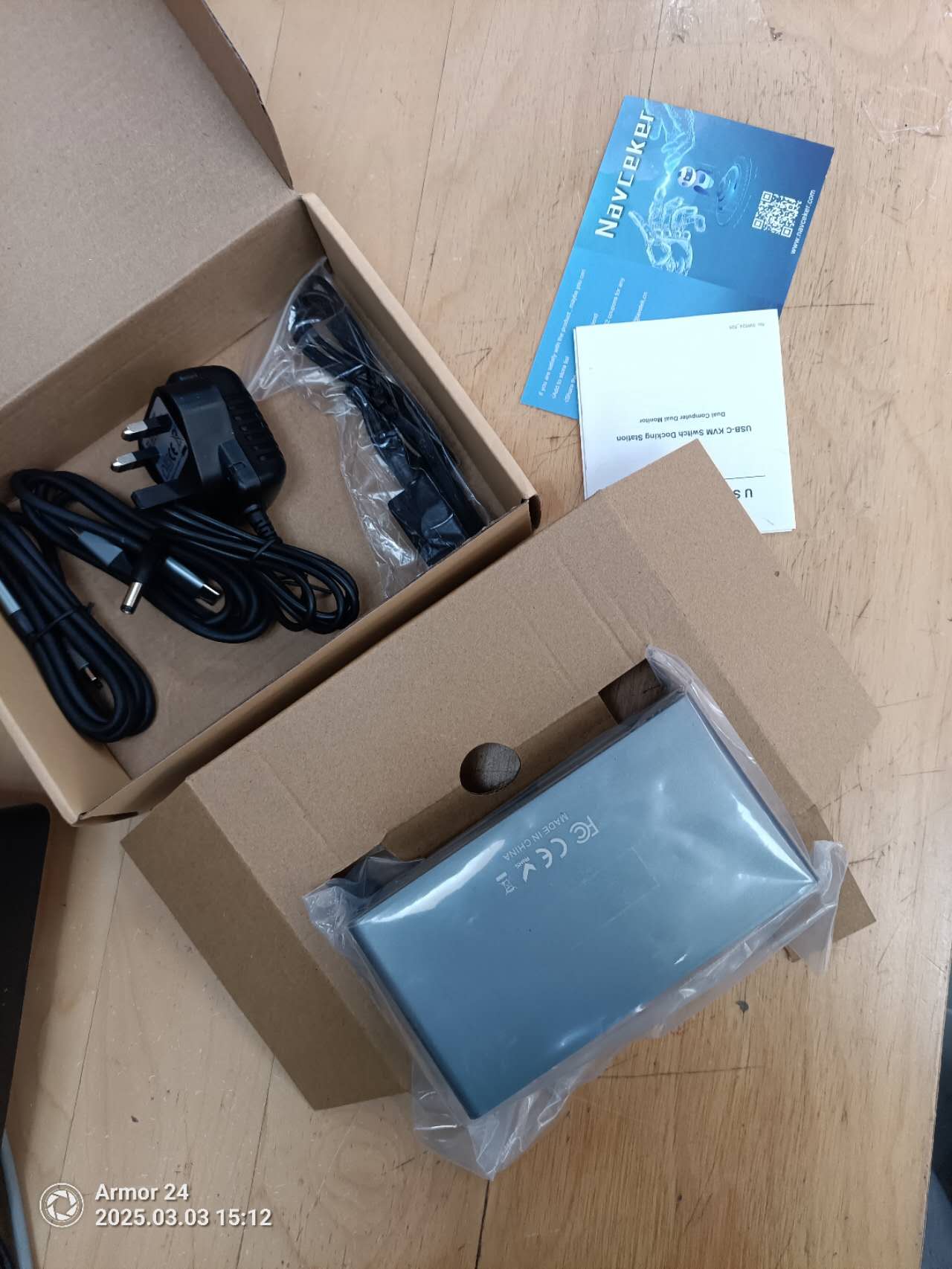
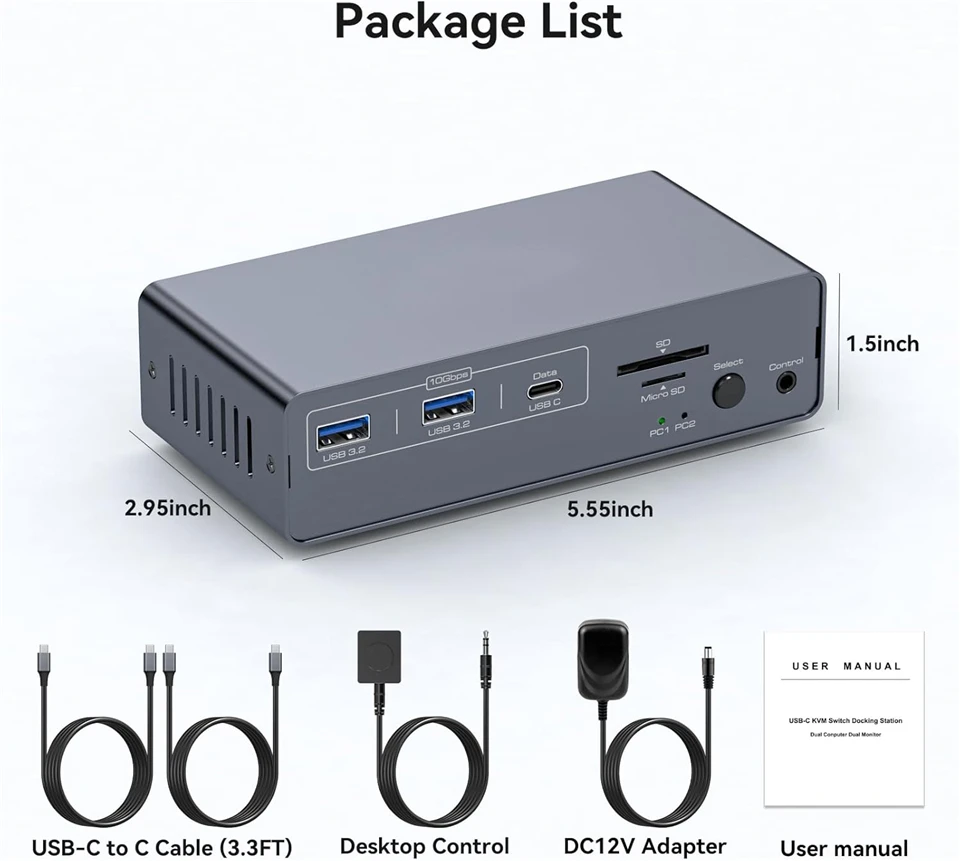
Package contents
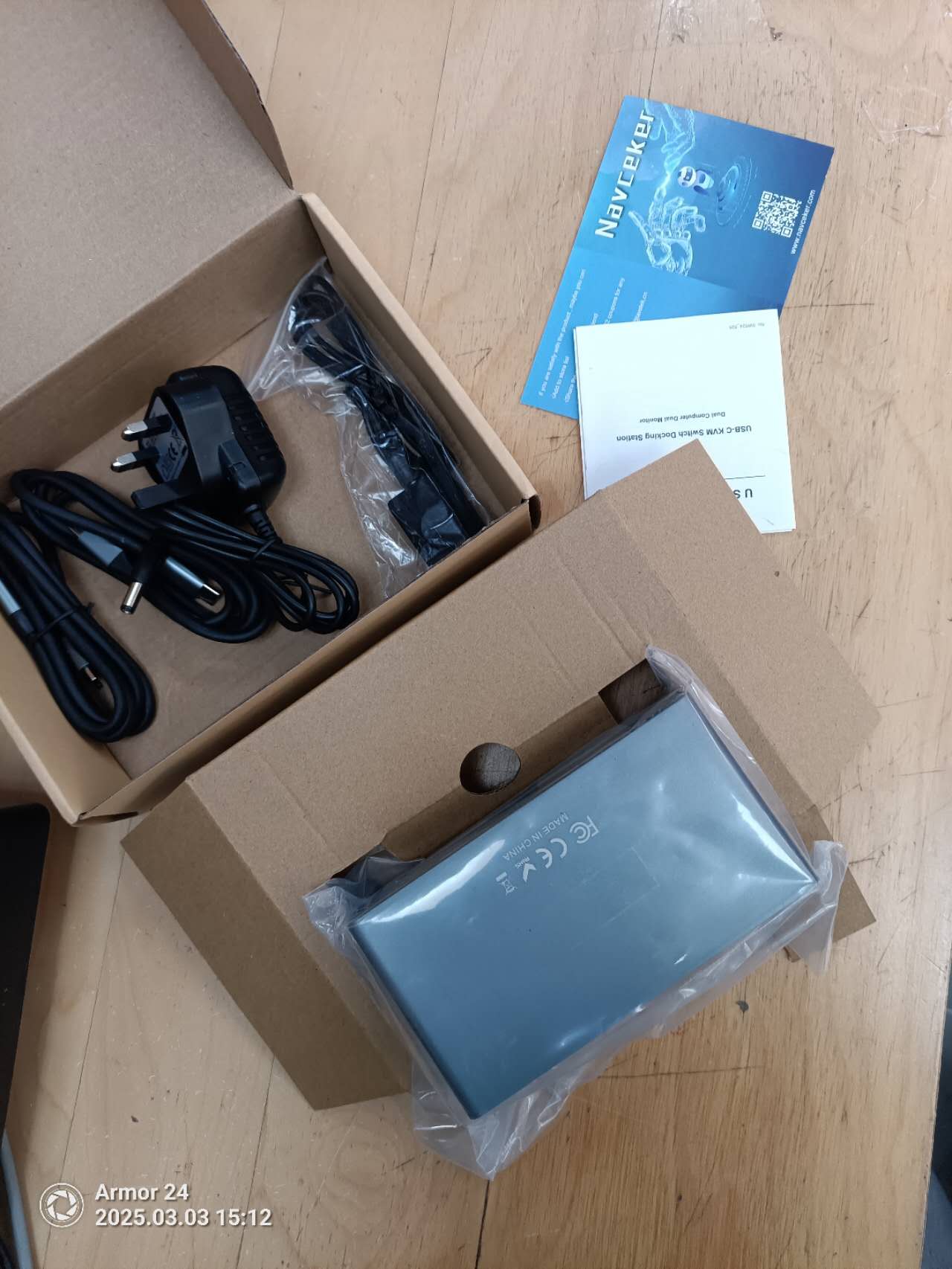
• 1 x USB C Thunderbolt 3 KVM Switch
• 2 x 1 meter USB Gen 2 Cable(Type C to Type C)
• 1 x 12V Power Adapter
• 1 x Destop Control Kit
• 1 x User Manual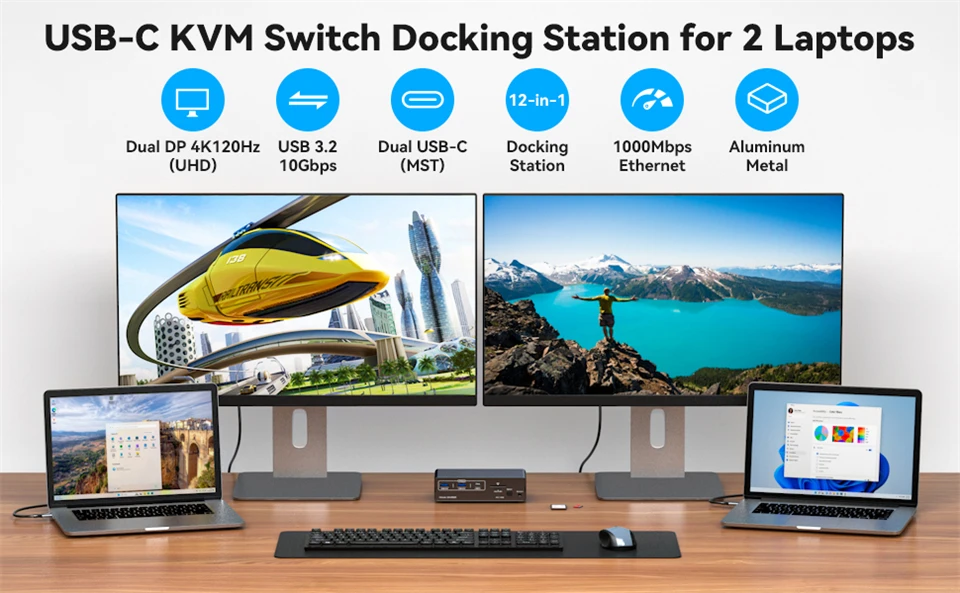 4K@120Hz USB C Docking Station Dual Monitor for 2 Laptops or Macbooks KVM Switch(12-in-1)
Plug and Play: Designed to match the dual DP output, this docking station simplifies setup by connecting directly to your desktop's ports. No more fiddling with adapters-just plug in and enjoy a clean, efficient workspace.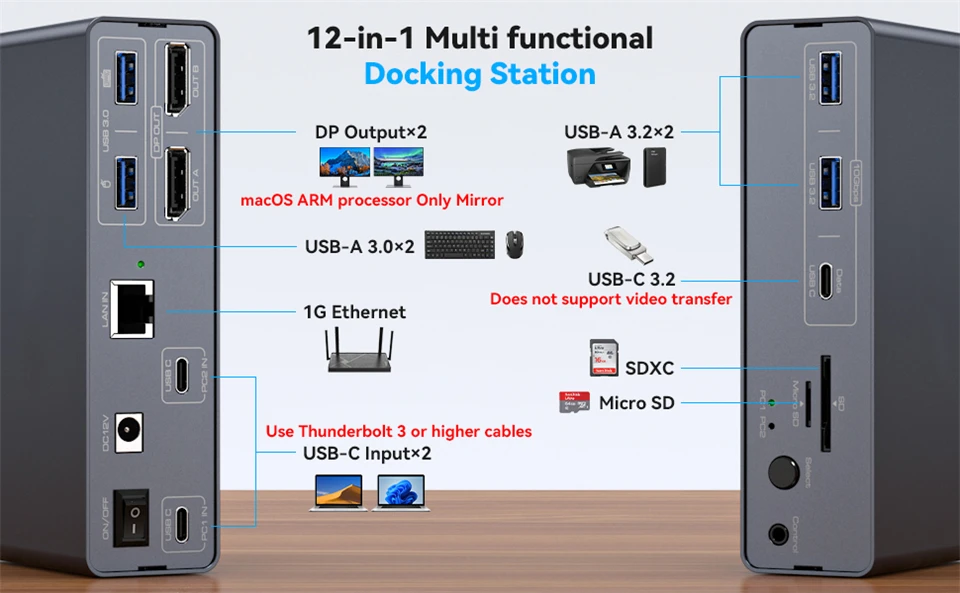
MST is not supported on Macs with Windows installed.
For stable screen mirroring, the 10Gbps USB-C port only transfers data and does not support PD charging or video transfer.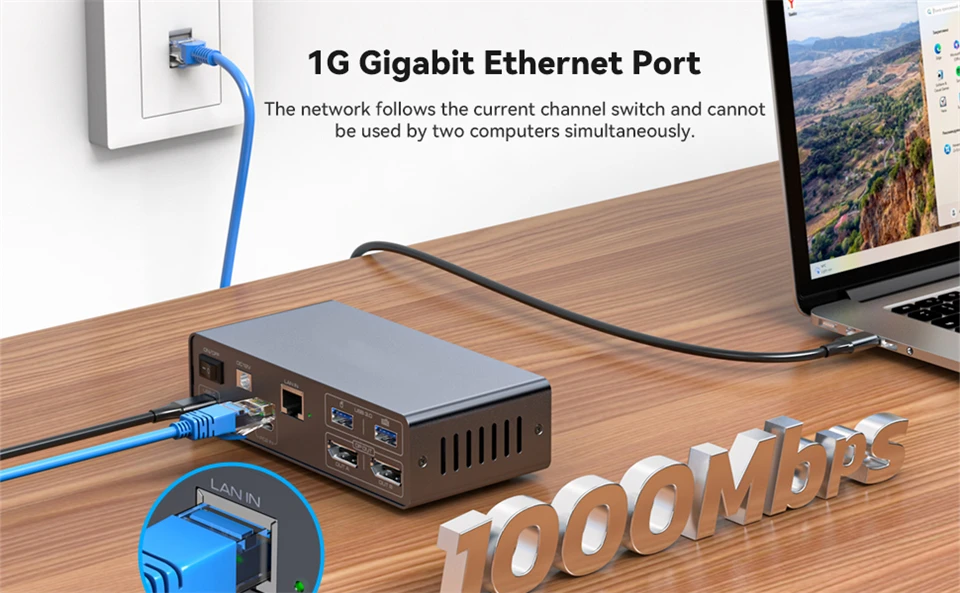
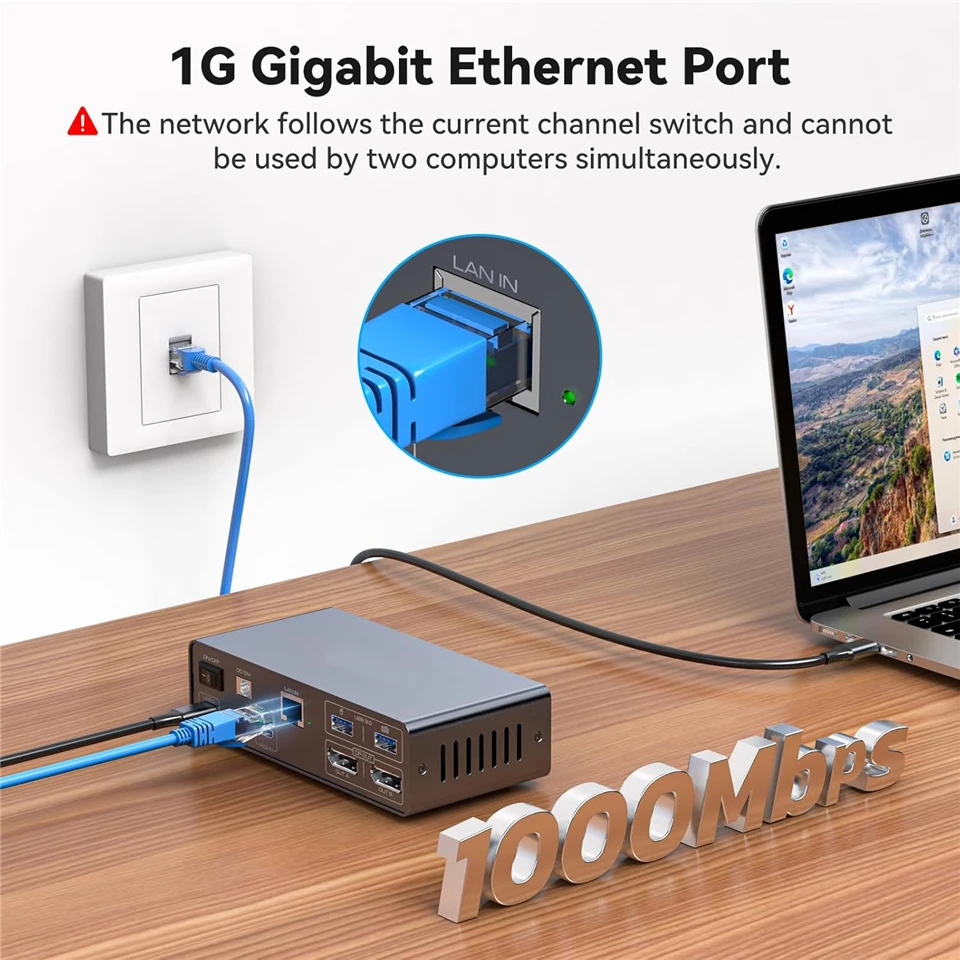
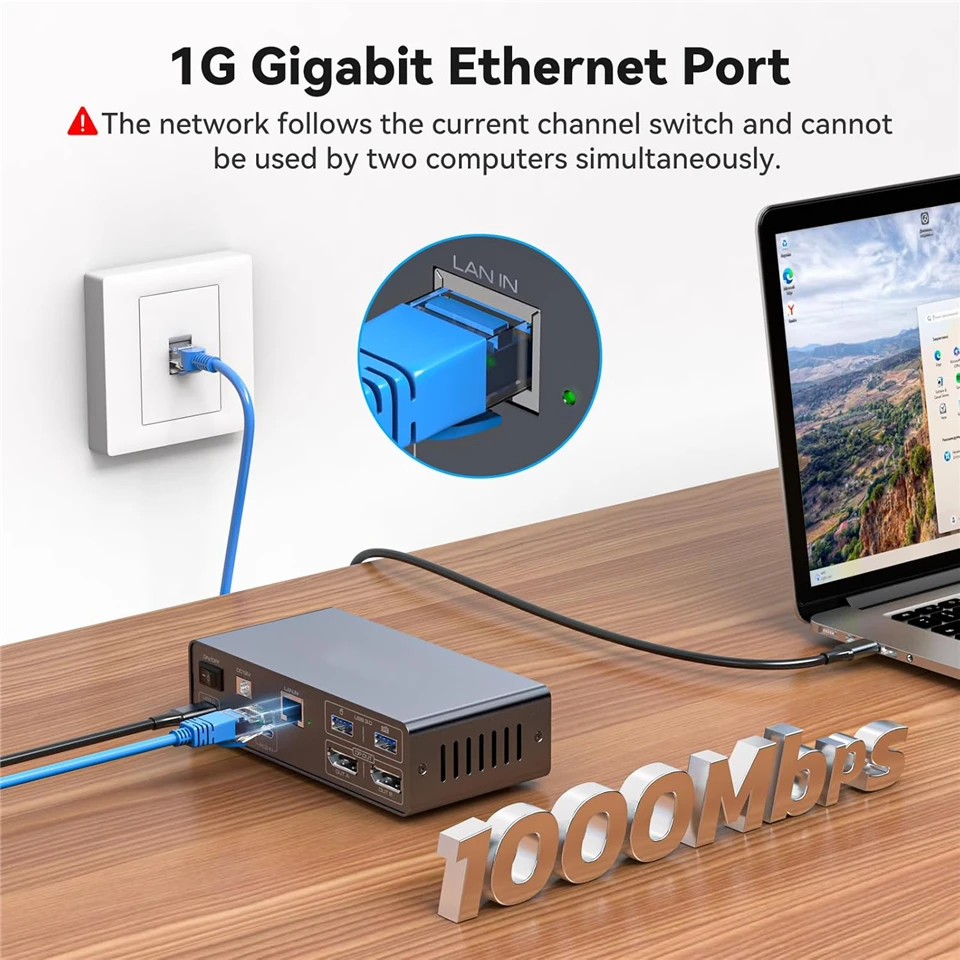
Built-in network switch
Easily connect your laptop and desktop to the Internet with our Docking Station KVM switch's built-in 1000Mbps network switch. A single network cable is all you need for an organized and connected workstation, perfect for seamless file sharing and collaboration.
Note: The network follows the current channel switch and cannot be used by two computers at the same time.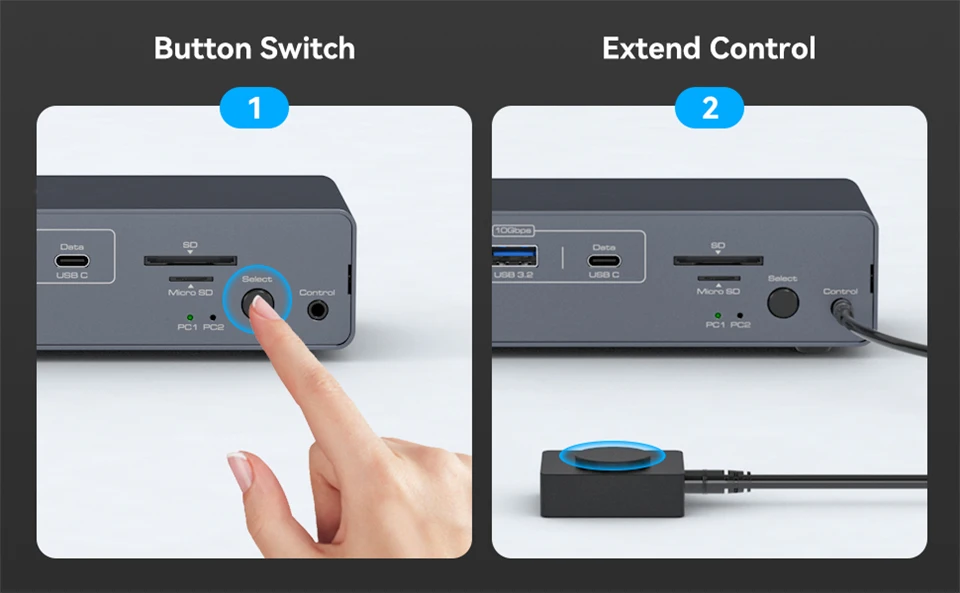
ONE BUTTON TO SWITCH
1. Desktop extension button lets you hide the extension under your desk or out of your workspace, saving space and keeping your desktop tidy.
2. Simply press the button on the front of the docking station to switch.
LED indicators show laptop "activity", making it super easy to dock both, using far fewer cables and providing better hub support.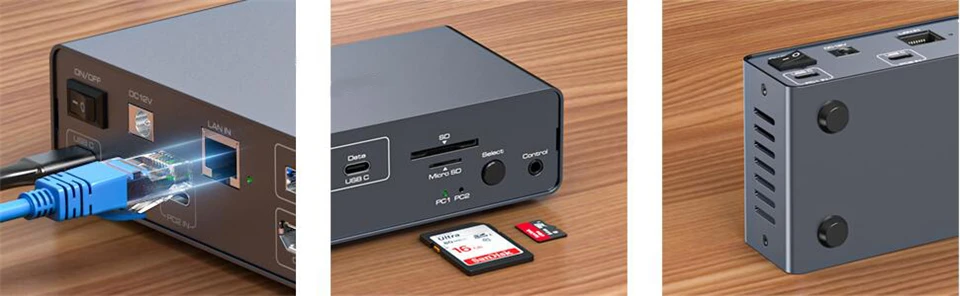
High-speed transfer
USB 3.2 ports up to 10Gb/s. Supports connection of barcode scanners, USB storage or other high-speed USB devices via two USB 3.2 Gen2 ports and one USB-C port.
USB 3.0 SD card & Micro SD card
Navceker Dock Station supports USB 3.0 SD card and Micro SD card, Micro SD cards are flush with the hub, so you can leave one inside as portable storage, and will not break easily.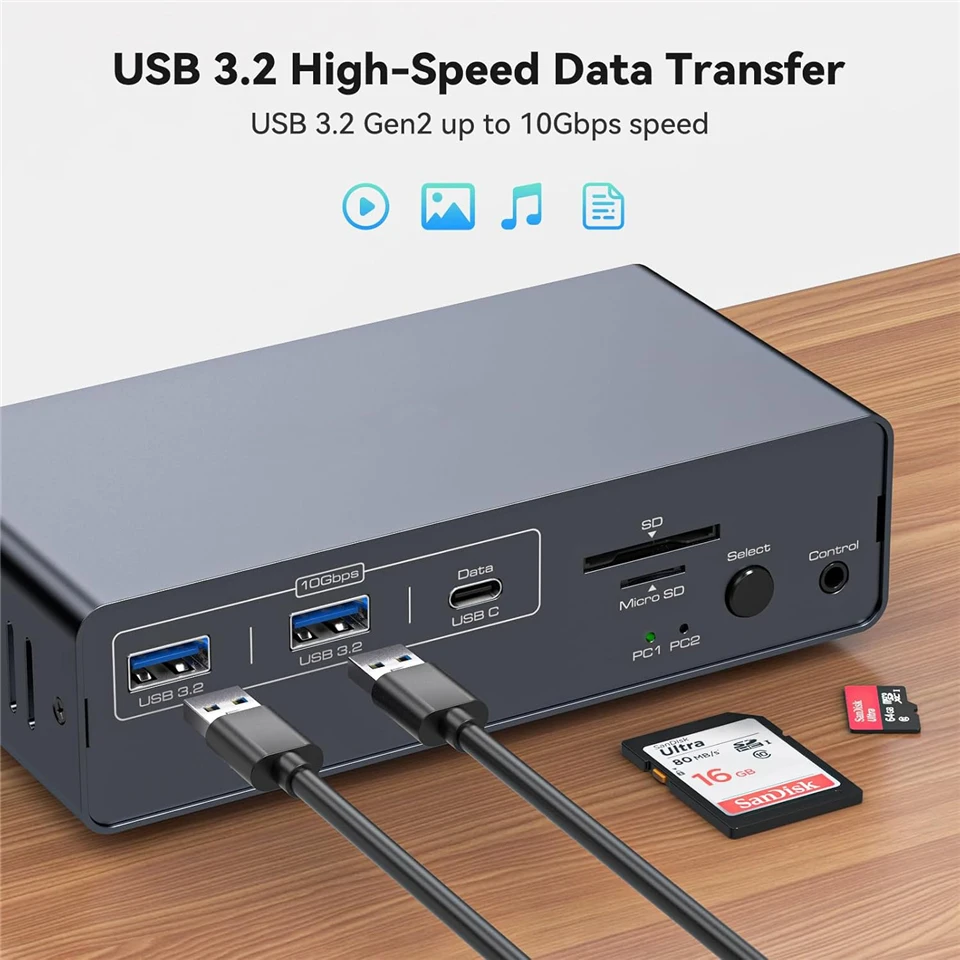
![<!-- TikTok Pixel Code Start --> <script> !function (w, d, t) { w.TiktokAnalyticsObject=t;var ttq=w[t]=w[t]||[];ttq.methods=["page","track","identify","instances","debug","on","off","once","ready","alias","group","enableCookie","disableCookie","holdConsent","revokeConsent","grantConsent"],ttq.setAndDefer=function(t,e){t[e]=function(){t.push([e].concat(Array.prototype.slice.call(arguments,0)))}};for(var i=0;i<ttq.methods.length;i++)ttq.setAndDefer(ttq,ttq.methods[i]);ttq.instance=function(t){for( var e=ttq._i[t]||[],n=0;n<ttq.methods.length;n++)ttq.setAndDefer(e,ttq.methods[n]);return e},ttq.load=function(e,n){var r="https://analytics.tiktok.com/i18n/pixel/events.js",o=n&&n.partner;ttq._i=ttq._i||{},ttq._i[e]=[],ttq._i[e]._u=r,ttq._t=ttq._t||{},ttq._t[e]=+new Date,ttq._o=ttq._o||{},ttq._o[e]=n||{};n=document.createElement("script") ;n.type="text/javascript",n.async=!0,n.src=r+"?sdkid="+e+"&lib="+t;e=document.getElementsByTagName("script")[0];e.parentNode.insertBefore(n,e)}; ttq.load('CU9905RC77U203LL0K50'); ttq.page(); }(window, document, 'ttq'); </script> <!-- TikTok Pixel Code End -->](/u_file/2501/15/photo/202501151905531.png)